AVG Web Shield blocks entire websites or individual website content: the reason and the solution.
When modern technology is too modern: How the AVG software blocked HTTP/3 – and why our solution can now help others, here is our blog post. When we relaunched the website of the Torgelow Castle Boarding School at the end of October 2025 (a separate blog article on this will follow!), everything was supposed to be perfect… and it was: a new WordPress system, migration of the website content from Typo3 to WordPress, high-performance hosting on a modern cloud server from Hetzner, top scores in PageSpeed, accessibility and security, and a UX design that is likely to be among the most modern school websites worldwide.
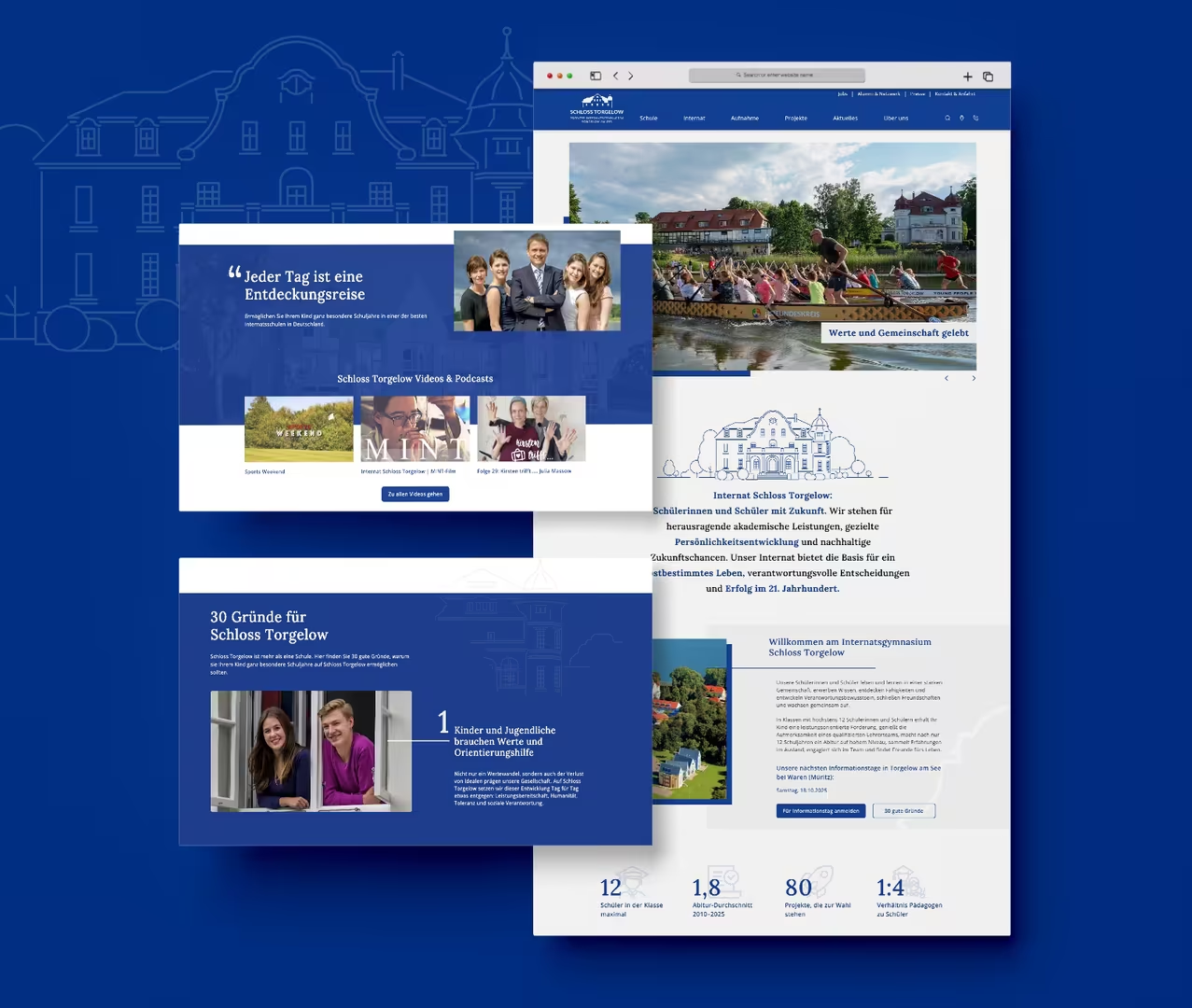
But while everything was running smoothly on our end, the customer suddenly reported: “The page is loading extremely slowly or not at all. Sometimes images are missing, and sometimes everything is just white.”
What initially sounded like a typical cache or browser error turned out, after intensive analysis, to be a highly specific interplay of Firefox, Windows, AVG Web Protection, and the new HTTP/3 protocol.
The symptoms: ERR_QUIC_PROTOCOL_ERROR & NS_ERROR_NET_PARTIAL_TRANSFER
In the development environment (staging), there were some strange errors:
- Scripts and images did not load completely.
- Messages like ERR_QUIC_PROTOCOL_ERROR and NS_ERROR_NET_PARTIAL_TRANSFER appeared in the browser console.
- The same image that failed to load on the page opened without any issues in the new tab.
The suspicion was close: not a code error, but a transport issue – something between the browser, server, and network.
The search for traces: From themes to antivirus
To eliminate factors of disturbance, we proceeded systematically:
- Theme changed → no change
- Cache disabled → no change
- Plugins disabled → no change
- Firewall & WAF checked → nothing suspicious
Only when we set up a clean testing environment – a fresh Windows system with AVG Antivirus and Firefox – did it become clear: As soon as AVG Web Protection was activated, the errors occurred. After disabling the web protection module, everything ran smoothly.
Meanwhile, the system administrator of our customer supported and reported: … that he has now gone through about 15 different antivirus scanners. We only tested the free versions in this case. The new website does not work with AVG free, AVG Business, and Avast Free – each in combination with Firefox.
The cause: HTTP/3 over QUIC encounters security software.
HTTP/3 is the latest version of the web protocol, which, unlike HTTP/2, no longer relies on TCP but instead uses QUIC over UDP (Port 443). Browser compatibility is available in all major browsers – see the screenshot from https://caniuse.com/http3.
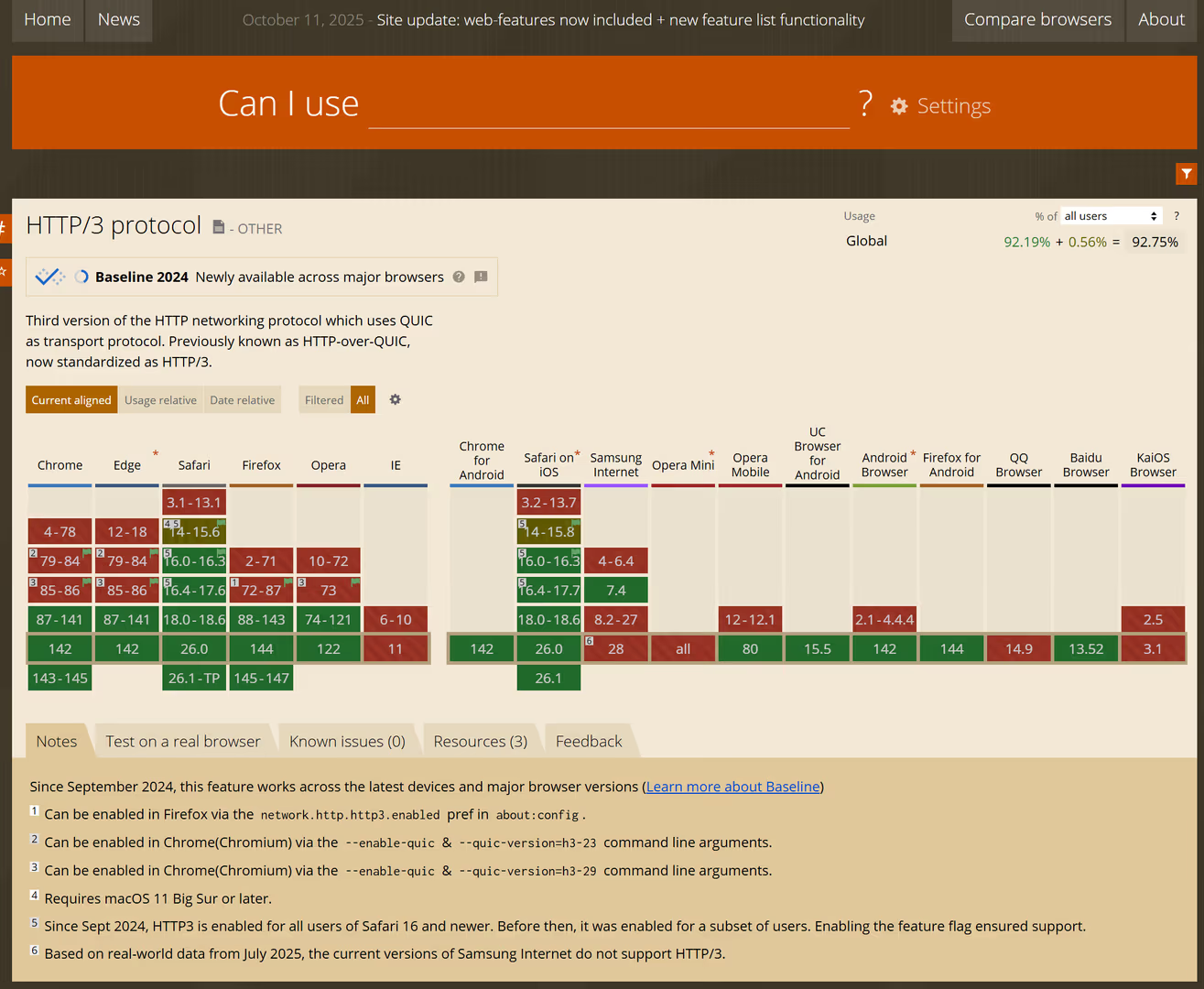
The use of HTTP/3 theoretically makes connections faster and more stable – but not everywhere.
Some firewalls, routers, and antivirus solutions treat UDP traffic more restrictively. This was apparently also the case with AVG’s DNS/DoS scanner, which incorrectly restricted the QUIC data stream. The result: interrupted file transfers – especially with larger images or JavaScript files.
Interesting: On another domain that was running on the same server, no problems occurred. The difference?
This domain remained on HTTP/2 (TCP) – the older, more conservative protocol that AVG did not block.
The solution: Disable HTTP/3 & inform the browser
To ensure stability for all users, we opted for a pragmatic approach: We disabled HTTP/3 for the affected domain and additionally sent the header Alt-Svc: clear to all browsers. This issues the command: “Forget HTTP/3 for this page – revert to HTTP/2.”
In the nginx configuration, it looked like this:
listen 443 ssl http2; add_header Alt-Svc “clear” always;
From this moment on, the page was immediately stable on all devices, all browsers, and all AVG-protected computers.
What one can learn from it
This experience was not only relevant for us but potentially for thousands of other operators as well. In our initial research, we searched via Google for a cause of the problem and also discussed it with various AI response engines, but HTTP/3 as a cause for such an issue when using AVG in combination with the Firefox browser appears to have been publicly documented nowhere. Interestingly, the combination of AVG and Firefox seems to be one of the core issues. I discussed the problem with my wife, who teaches mathematics and economics at the Torgelow boarding school, and she told me that for her economics class she also visits a specific website for the students … always with the note not to open the site with Firefox because there are display and loading issues that do not occur with Edge or Chrome. I assume the website operators are simply unaware of this.
Those who enable HTTP/3 today run the risk that certain security solutions may inadvertently block content – especially on Windows, Firefox, and antivirus systems with web protection (e.g., AVG, Avast, …).
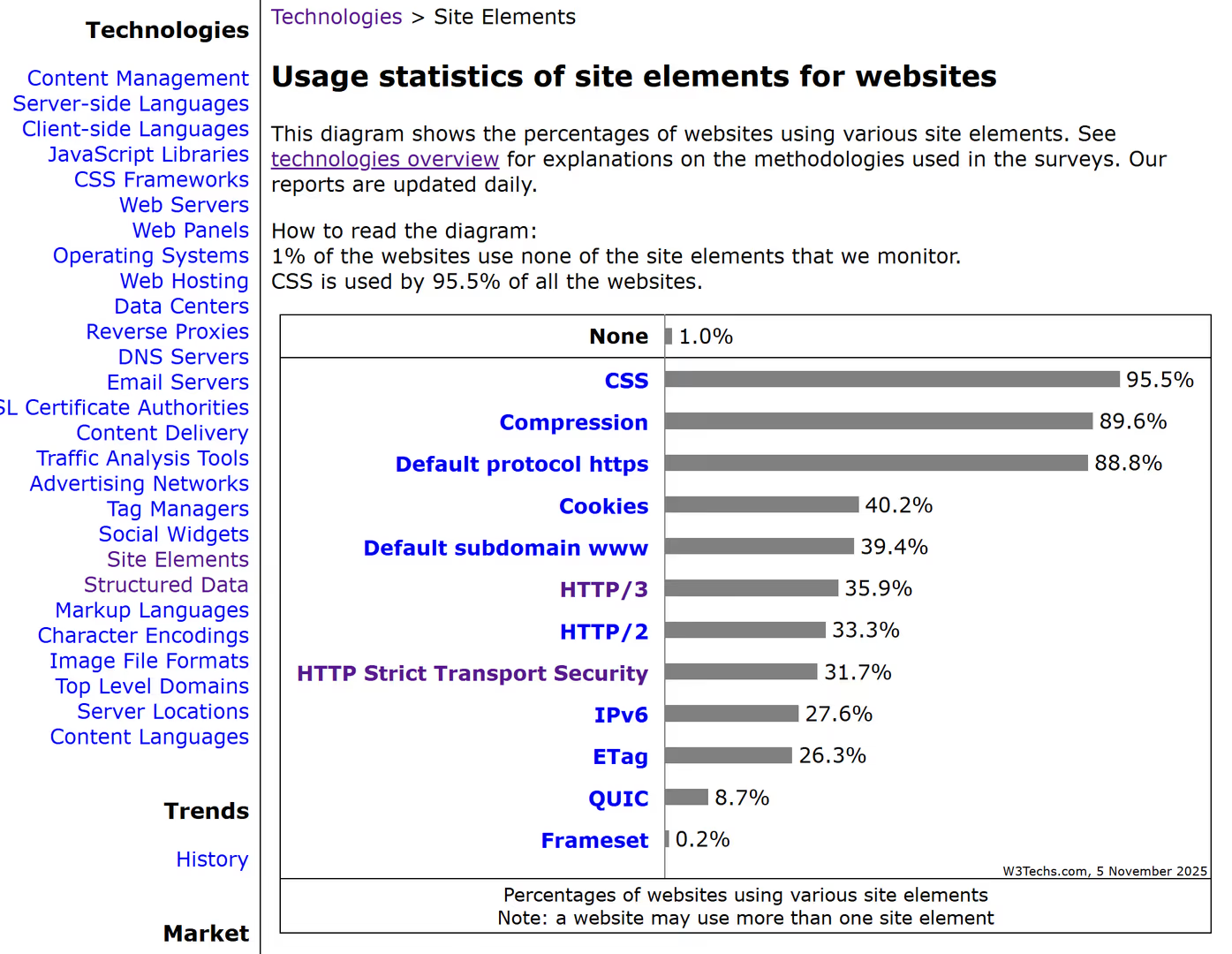
Providers of security solutions also need to reconsider this. Currently, about 36 percent of all websites are using HTTP/3. See here a screenshot from https://w3techs.com/technologies/overview/site_element.
A few practical tips:
- Error messages such as ERR_QUIC_PROTOCOL_ERROR or NS_ERROR_NET_PARTIAL_TRANSFER often indicate HTTP/3/QUIC issues.
- In Firefox, this can be checked under about:config → network.http.http3.enabled = false.
- On the server side, you can temporarily test by disabling HTTP/3 and sending Alt-Svc: clear.
If necessary, HTTP/3 can be specifically reactivated later – but only if it is ensured that no security software interferes with the UDP communication.
Conclusion on HTTP/3 and GDPR
Not the code, not the hosting, not the CMS, but a combination of modern protocol and overly cautious antivirus protection caused the site to stumble. Our insight: performance innovations like HTTP/3 are great, but in practice, one must check whether all links in the chain are truly ready for it. If our client had not been using AVG themselves, we honestly wouldn’t have noticed it at all. Even if only a fraction of users were affected by the loading issues, it is still frustrating.
Thanks to the thorough analysis by our development team, schlosstorgelow.de is now running quickly, securely, and stably. We share this insight so that other web developers, administrators, and agencies can reach their goals more quickly when similar issues occur.