Identify links that are hidden and/or loaded via JavaScript.
The visibility and accessibility of all links on a webpage is important for SEO performance. Did you know that many links on webpages can be hidden or not directly visible in the initial page rendering? Here is a simple SEO tip that helps you uncover such links and ensure that you don’t overlook valuable connections. Why are there unrecognizable links at all?
Hidden or invisible links may be present on a website for various reasons:
- Dynamically loaded content: Content that is loaded only through user actions or JavaScript.
- Interactive elements: Links embedded in buttons that are triggered by JavaScript events.
- Design aspects: Links that are hidden or difficult to identify for design reasons.
Such links, which are not loaded via an HREF but are triggered by a JS event, are often not immediately visible and can be easily overlooked. With the following simple script, you can ensure during an SEO audit that all links and buttons on a webpage are highlighted, including those that are dynamically added.
Step-by-step guide: Highlighting links on websites
1. Open the page and access the Developer Tools: Open the desired website in your Chrome browser. Press F12 or right-click on the page and select “Inspect” to open the Developer Tools.
2. Select the console area: Click on the “Console” tab in the developer tools. Here you can execute JavaScript code directly on the webpage. When you make an input, it may be the first time that the browser gives you a warning message and you will first need to confirm that you allow pasting.
3. Copy and paste the script: Copy the following script and paste it into the lower console area. Then press the Enter key (Enter).
// Highlight initial links
document.querySelectorAll('a').forEach(link => {
  link.style.backgroundColor = 'yellow';
  link.dataset.initial = 'true'; // Mark these as initially present
});

// Highlight initial buttons
document.querySelectorAll('button').forEach(button => {
  button.style.backgroundColor = 'red';
  button.dataset.initial = 'true'; // Mark these as initially present
});

// Create a MutationObserver to detect changes in the DOM
const observer = new MutationObserver(mutations => {
  mutations.forEach(mutation => {
    if (mutation.type === 'childList') {
      mutation.addedNodes.forEach(node => {
        if (node.nodeType === 1) { // Check if it's an element node
          // Find any new <a> tags within the added node
          node.querySelectorAll('a').forEach(link => {
            if (!link.dataset.initial) { // Only highlight if not marked as initial
              link.style.backgroundColor = 'pink';
            }
          });

          // Find any new <button> tags within the added node
          node.querySelectorAll('button').forEach(button => {
            if (!button.dataset.initial) { // Only highlight if not marked as initial
              button.style.backgroundColor = 'red';
            }
          });
        }
      });
    }
  });
});

// Start observing the document body for changes
observer.observe(document.body, {
  childList: true,
  subtree: true
});
4. Observe the result: After you run the script, all links (<a> elements) on the webpage will be highlighted in yellow, and all buttons (<button> elements) will be marked in red. New links and buttons that are dynamically added will have a pink background (for links) or a red background (for buttons).
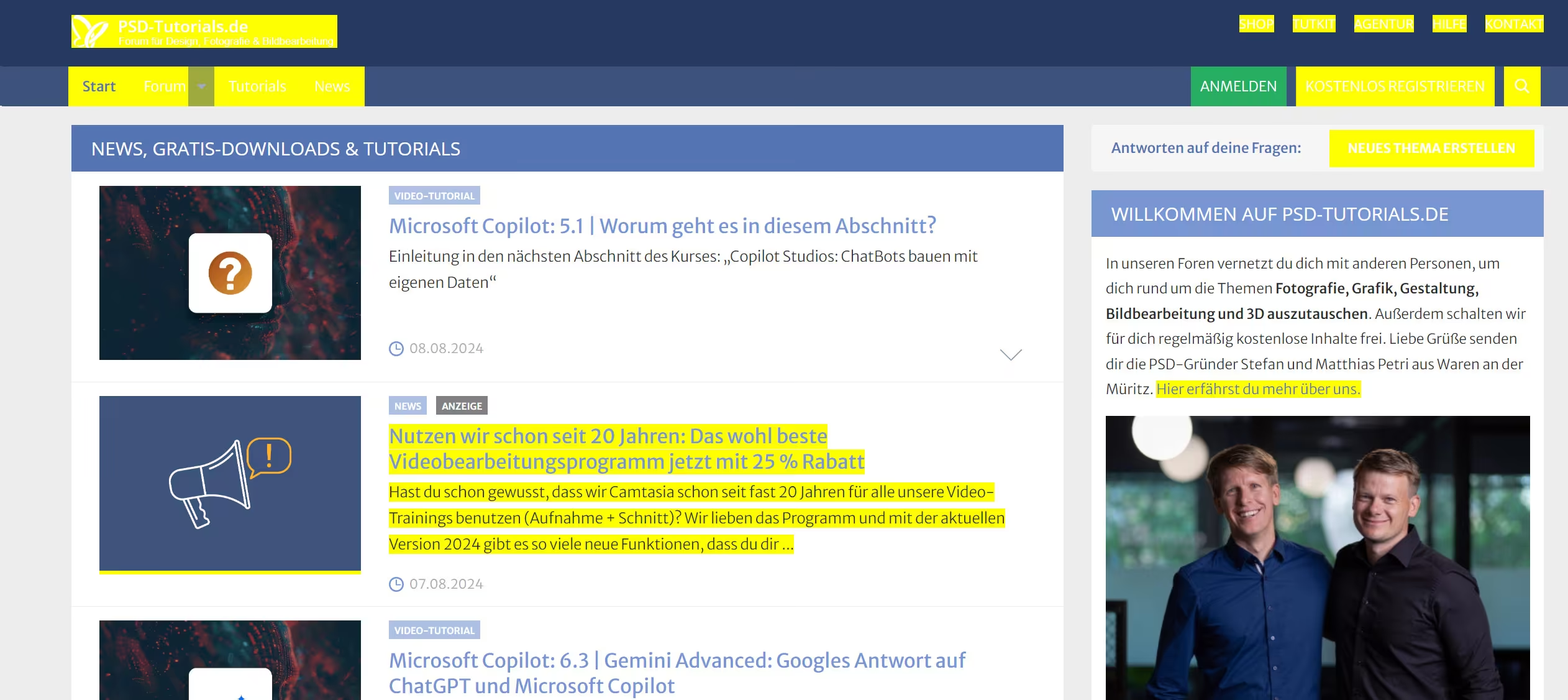
If your website already has many yellow or red elements, you can easily adjust the highlight colors in the script to, for example, blue and brown.
What exactly is happening there?
The script initially highlights all existing links and buttons on the page with a background color. It then creates a so-called MutationObserver that continuously monitors changes in the DOM (Document Object Model). When new elements are added, the observer checks whether they contain links or buttons and highlights them accordingly.
By using this method, you can ensure that no important links are overlooked, regardless of whether they are initially visible or added through user actions or scripts. This simple yet effective technique can help you optimize the usability and SEO performance of your website.
We didn’t come up with this script ourselves; we first saw it from Daniel Foley Carter in a LinkedIn post. The SEO tip is really helpful, which is why we created this blog article about it. Other users found it just as useful and even created a Chrome extension for link highlighting based on it.
Try it out and see for yourself how many links appear on your websites and which of them are triggered only by JavaScript!